The research I have done to date on creating and self publishing digital comics (specifically eComics) has led me to put together a Digital Comics Workflow which I have defined here. I will keep this workflow updated to reflect my latest learnings as I stumble along the way.
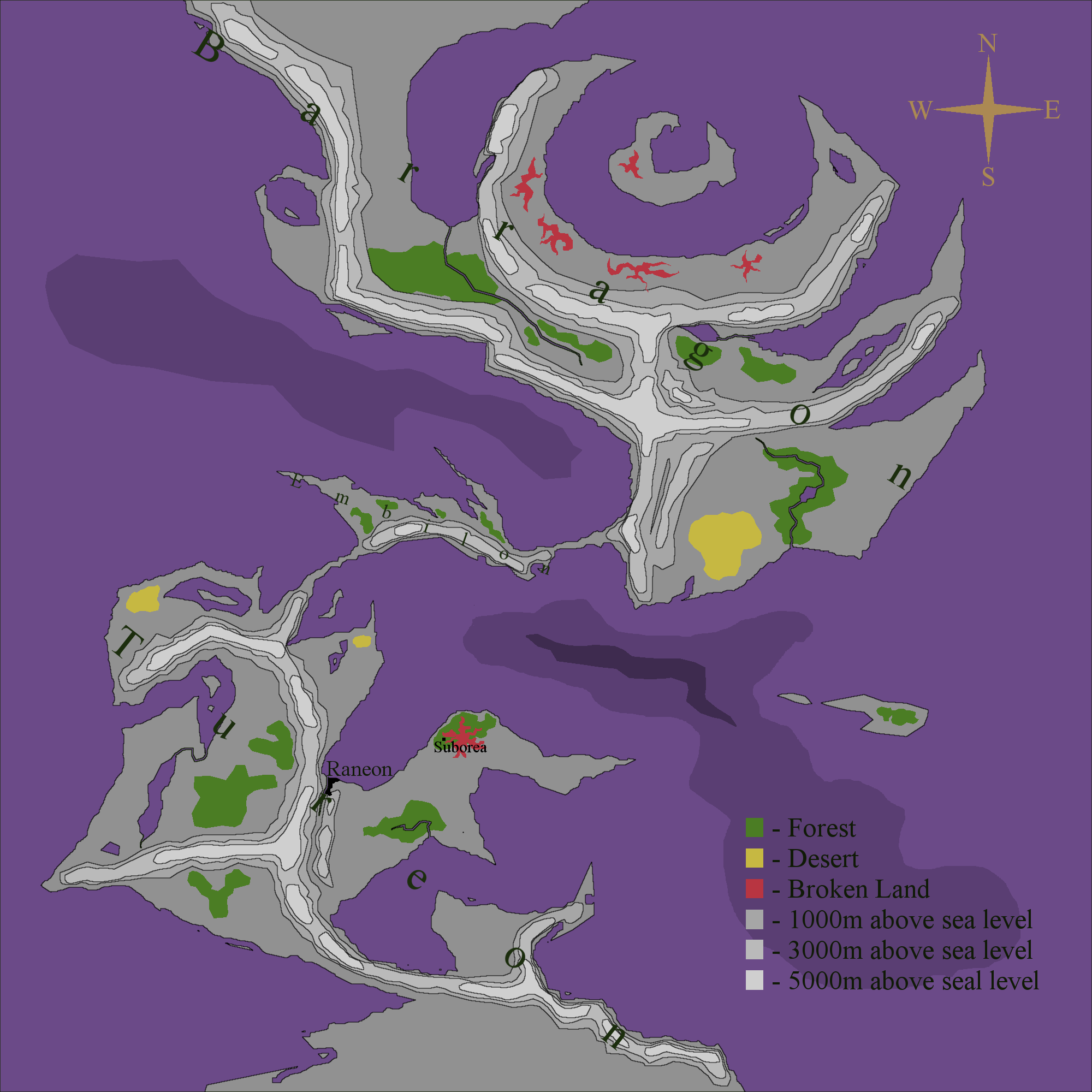
Fictional World Map V3.4
I’ve done some more work on this map:
- Added a Neon Glow around some of the continent names to improve readability.
- Added a grid.
- Added a scale.
- Added a border.
- Added the world name: Undomea.
This is the world that my first digital comic (eComic) will be set in. And yes, the oceans are going to be purple!
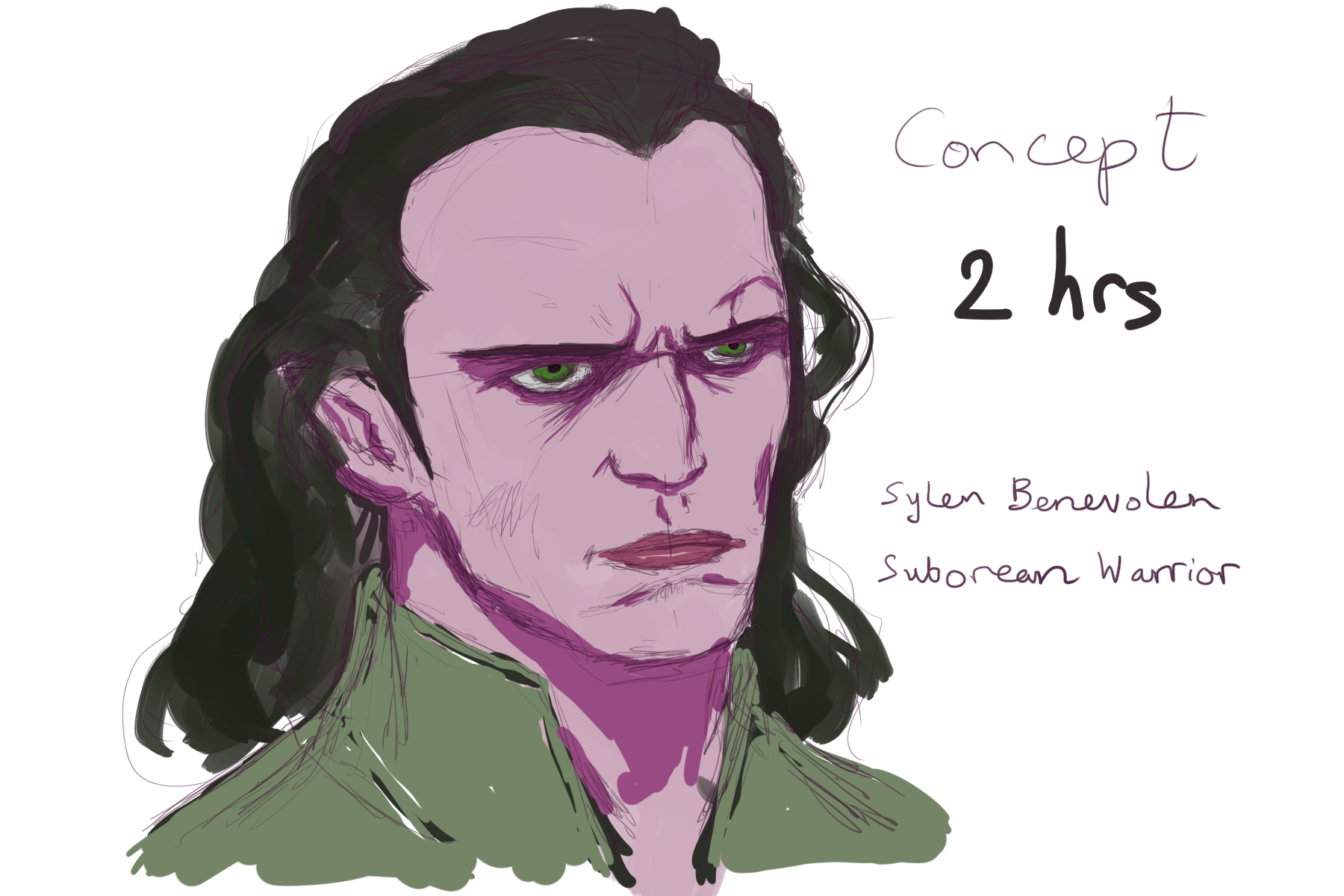
Concept Art: Sylen Benevolen 1C
Project ADC-1 Concept Art. I switched off the pencil layer, blended in the colour blocks and did some more detailed painting.
Concept Art: Sylen Benevolen 1B
Project ADC-1 Concept Art. I’ve blocked in the colours for the Benevolen concept. In Manga Studio, I started with the brush tool and then found that the pen tool lays down colour more evenly – which is what I wanted for blocking in.
Concept Art: Sylen Benevolen 1
OK here’s a character concept sketch of the main protagonist in my digital comic. Using a reference photo, I worked in Manga Studio 5 with a Wacom graphics tablet. This represents around 40 minutes of sketching for me.
Project ADC-1: 20 July 2015
[visualizer id=”212″]
I’ve been character designing and expanding on my digital comic plot which currently consists of a text file of 455 words. Originally I’d estimated 1 hour for plotting, I’ve spent 6 hours on it already but I reckon I’m about done with the high level plotting now.
One thing that I found really helpful during structuring my plot was Tim Stout’s article on Blake Snyder’s Beat Sheet. I didn’t stick to it religiously but instead used it as a rough guide. Thanks to my mate John for the tip-off 🙂
Like the geek I am, I have updated my digital comic project dashboard with my progress this last week.
Fictional World Map V3.3
Project ADC-1: 14 July 2015
I’m still in the early stages of my digital comic project and I’ve already had to lower my sites from making a 30 page comic to a 20 page one. Timescale is the overriding factor here.
Most of the work has been done inside my head so far:
- Idea Brainstorming in my car to and from work.
- Drawing up a Character Design Template.
- Character Design in my car to and from work.
- Plotting in my car to and from work.
I’ve updated my digital comic project dashboard here.
Just Bought Manga Studio 5!
For a while now I’ve been aware of Manga Studio – a digital art package that seemed to be more geared towards comics creation than other art packages. I’d even made a mental note to download the trial version and give it a go. However the other day, a friend of mine told me that it was currently on sale with a whopping 70% off the list price!
Anyway I’m now sitting here having just bought the digital download and installed it 🙂
I’ve given it a quick test drive and initial results are exciting! The pressure sensitivity feels really good, the tools I’ve tried give such a beautifully natural result, especially the paint brush – I love the way it smears your colours as if your brush were really running over wet paint – fantastic! That’s £12 well spent right there 🙂 Can’t wait to try more.
Digital Painting Saturday 11th July 2015
I carried on with the painting I started on Thursday. I can’t really call this a speed painting any more because the total time spent on it is now around 2 hours. I’m struggling with his face a bit – the bridge of his nose it too prominent – I think I need to practice on a few more reference photos. On the upside I found a better Gimp setting for the Wacom tablet – I have better pressure sensitivity now 🙂