
Steampunk Bronze Logo With Rivets

The explorations of an artloader.

Continue reading “Steampunk Logo in Blender With Light Emitting Texture”
OK so here’s the artloader.net logo.

I’m gonna leave it at this because I’m in danger of spending a silly amount of time messing about with the settings in Blender.
Below is the clockwork bump map image I made for this in Gimp:

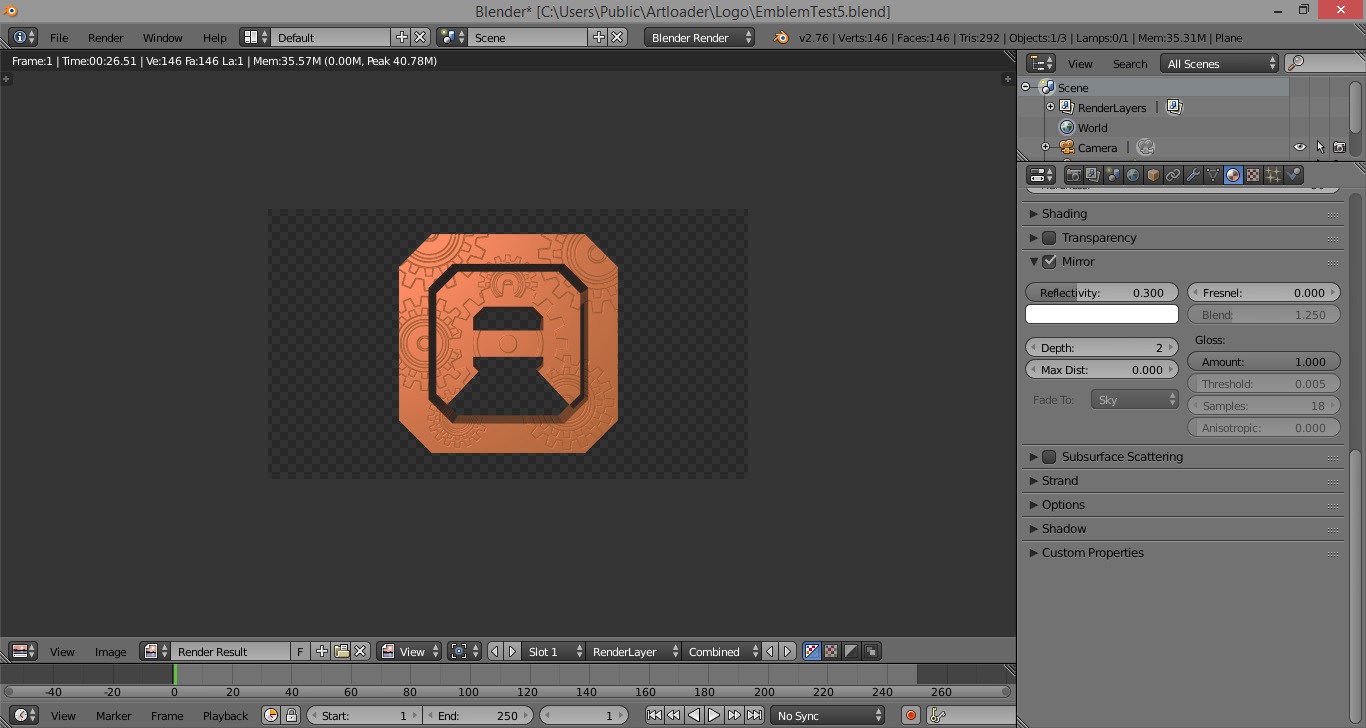
And here are the bronze material settings in Blender:



Here’s my 2nd logo design.
I’m trying for a steampunk feel by going for a brass-like colour with clock-work type cog wheels.
The 3D model was done in Blender and the cog wheel design was done in Gimp.

I needed a cog wheel image to apply as a bump map to my logo design so I had a little tinker in Gimp.
Here’s my process for making a cog wheel in Gimp.
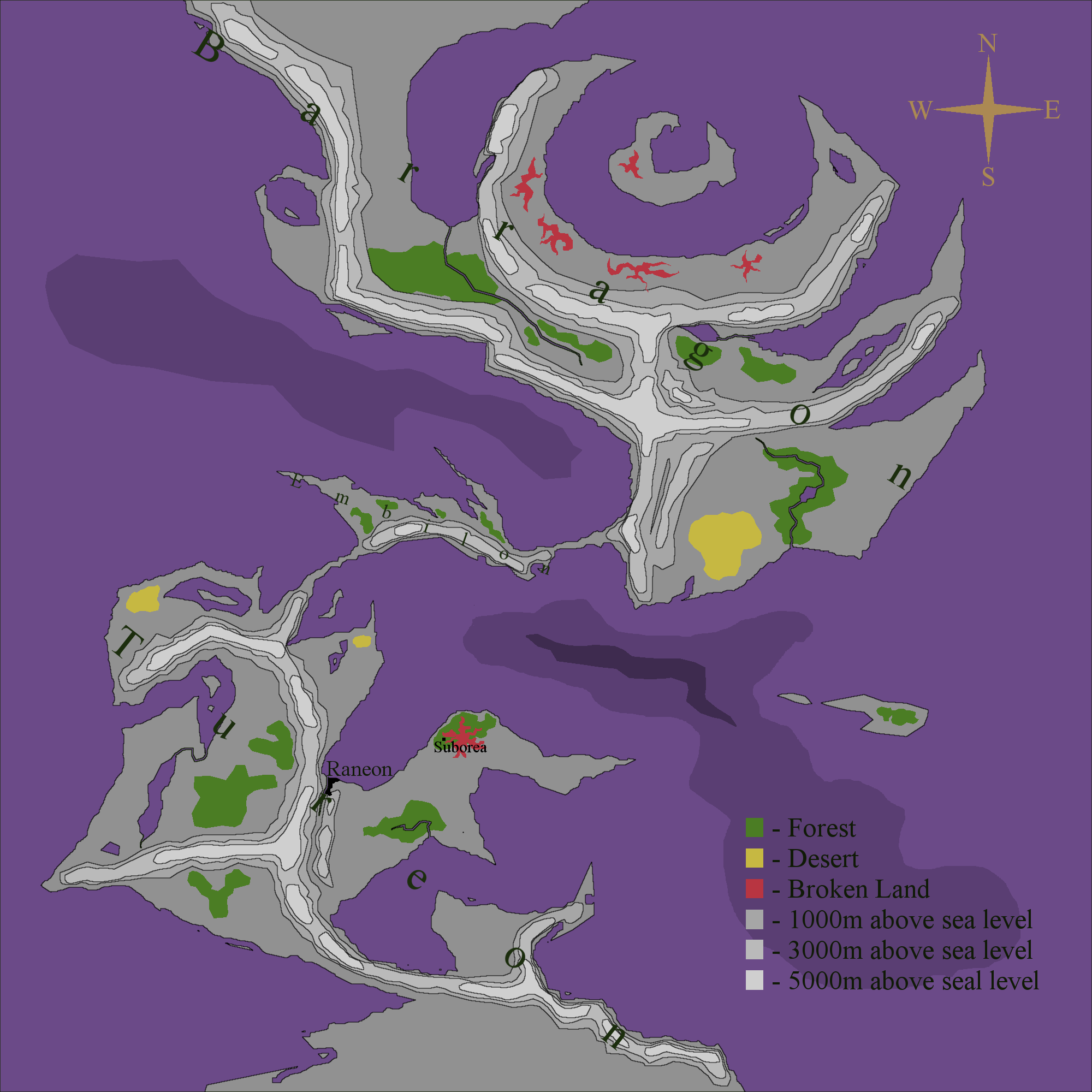
I’ve done some more work on this map:
This is the world that my first digital comic (eComic) will be set in. And yes, the oceans are going to be purple!

I’ve been fleshing out my fictional world map a little bit more. It now has continent names, a legend and depicts two of the locations for my ADC-1 project (Raneon and Suborea).
I carried on with the painting I started on Thursday. I can’t really call this a speed painting any more because the total time spent on it is now around 2 hours. I’m struggling with his face a bit – the bridge of his nose it too prominent – I think I need to practice on a few more reference photos. On the upside I found a better Gimp setting for the Wacom tablet – I have better pressure sensitivity now 🙂


It’s been a couple of weeks since I last took the Wacom out for a spin so I thought I’d do a 25 minute speed painting in Gimp. I’ve always drawn onto a white canvas in the past but this time I thought I try painting onto a black canvas – I think it adds a certain moodiness.
I’ve been going round in circles with my fictional world map and in the end have decided to simplify a little. Bump mapping wasn’t really in tune with the feel I wanted so I took that off, added some contour type areas and some text. I don’t think the text is quite right so I will tweak that a bit, add a border and other embellishments.
