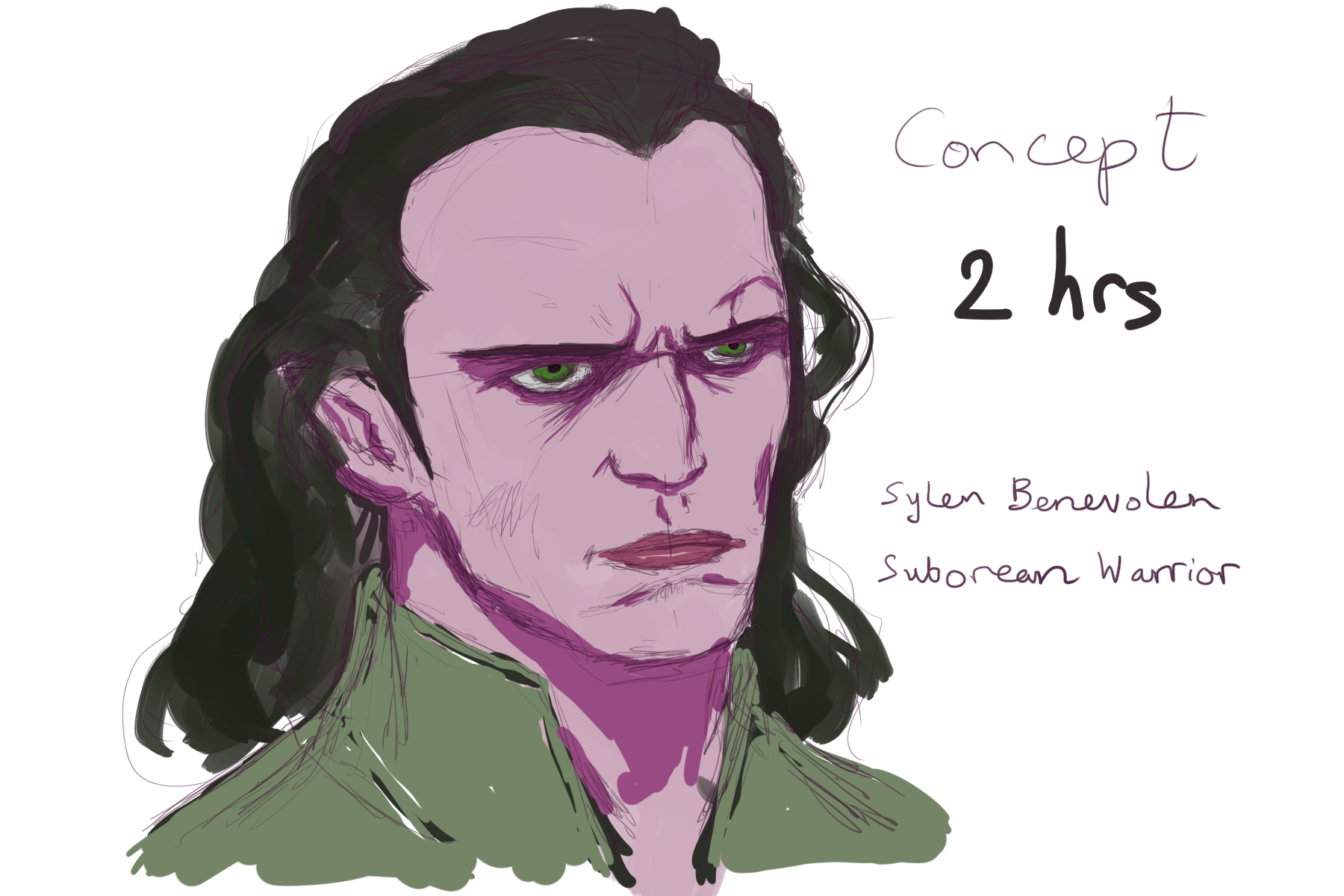
I’ve been pressing on with my eComic Concept Art using Manga Studio by putting a jacket on Benevolen:


The explorations of an artloader.
I’ve been pressing on with my eComic Concept Art using Manga Studio by putting a jacket on Benevolen:
More eComic Concept Art. I’m doing a full length concept of Sylen Benevolen now but I’m having a real battle with his legs. I’ve redrawn them about 4 times, hence the time spent is now at 3 hours for this.

Project ADC-1 Concept Art. Did some fine tuning, added a speech bubble and added a background. I will leave this painting now and move on.

Project ADC-1 Concept Art. I switched off the pencil layer, blended in the colour blocks and did some more detailed painting.

Project ADC-1 Concept Art. I’ve blocked in the colours for the Benevolen concept. In Manga Studio, I started with the brush tool and then found that the pen tool lays down colour more evenly – which is what I wanted for blocking in.
OK here’s a character concept sketch of the main protagonist in my digital comic. Using a reference photo, I worked in Manga Studio 5 with a Wacom graphics tablet. This represents around 40 minutes of sketching for me.

For a while now I’ve been aware of Manga Studio – a digital art package that seemed to be more geared towards comics creation than other art packages. I’d even made a mental note to download the trial version and give it a go. However the other day, a friend of mine told me that it was currently on sale with a whopping 70% off the list price!
Anyway I’m now sitting here having just bought the digital download and installed it 🙂
I’ve given it a quick test drive and initial results are exciting! The pressure sensitivity feels really good, the tools I’ve tried give such a beautifully natural result, especially the paint brush – I love the way it smears your colours as if your brush were really running over wet paint – fantastic! That’s £12 well spent right there 🙂 Can’t wait to try more.